


Disclosure: both plugins in this article are made by the team behind AI Powerss, and this site runs on both. Treat this as a look at our own setup, not an independent review.
Most small blogs stall for the same two reasons: there is never enough time to write, and the posts that do get written reach only people who like to read. We run AI Powerss with two WordPress plugins that address one problem each. RSS2Post turns RSS feeds into original articles, and Post2Podcast turns articles into podcast episodes. Here is what each one does, what it costs, and where it falls short.
RSS2Post: from an RSS feed to a finished article
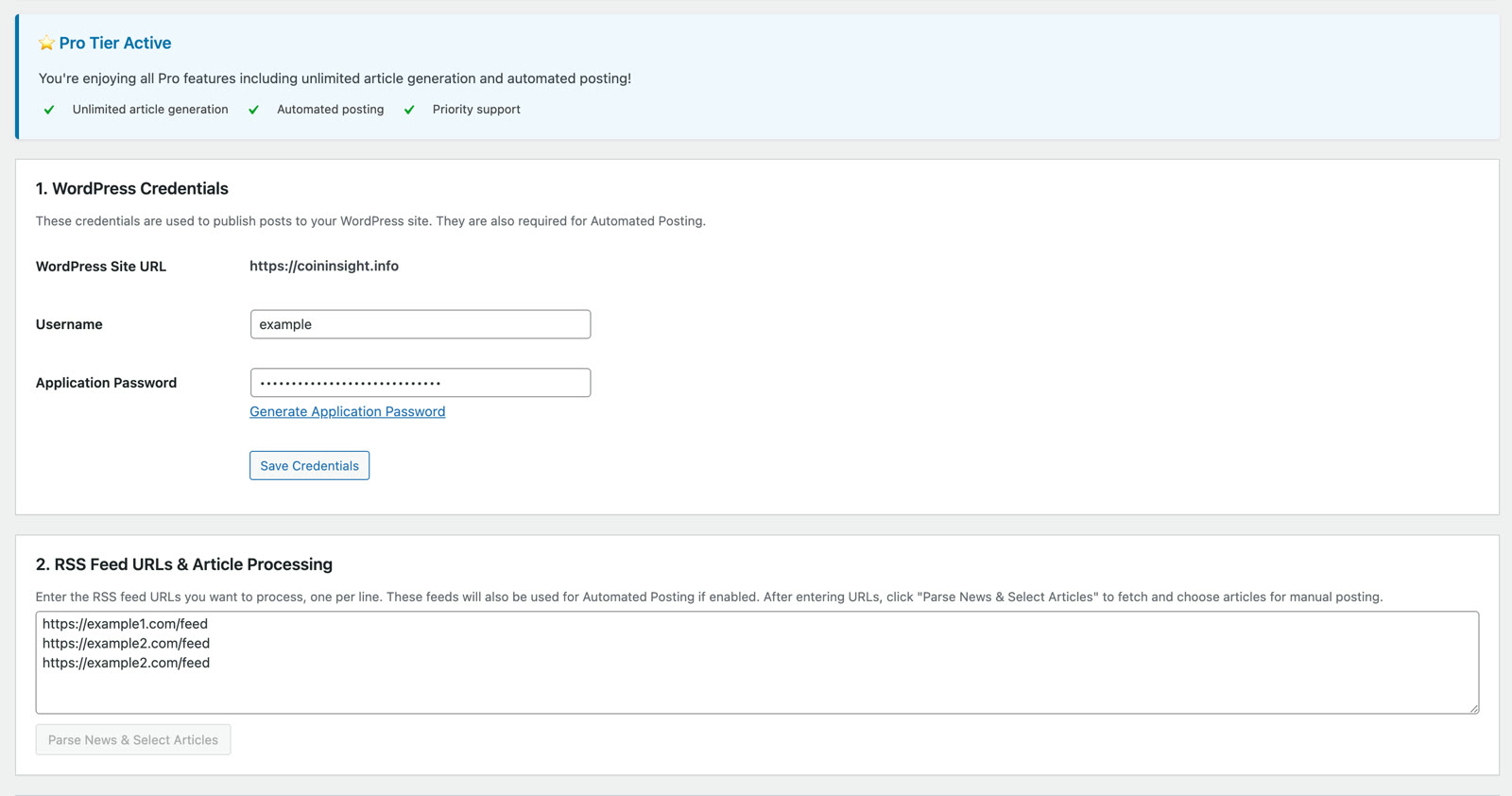
RSS2Post (listed on WordPress.org as RSS to Post Generator) reads the feeds you give it and writes a new article from each item. It does not copy the snippet from the feed the way a classic aggregator does.
- Languages: it writes in 18+ languages, so an English feed can become a Portuguese or German article.
- Images: it takes the image from the feed or finds one on Pexels, and converts it to WebP.
- Links: it adds internal links to related posts on your site, and can insert your affiliate links.
- Schedule: it can publish every 12 hours, up to 6 articles per run, spread evenly across your feeds.
- Setup: the AI is included, so there is no OpenAI key to create or pay for separately.
It also skips duplicate titles, blocks thin or empty articles, and reuses your existing tags instead of inventing new ones.
Price: the first 10 articles are free. Pro is $19.90 a month for unlimited articles and scheduled posting, or $249 once for lifetime access.
Where it falls short: an automated article is a starting point. Read what it publishes, especially for news, where the source may be wrong or out of date. Add your own view to the posts that matter most.
Post2Podcast: from an article to a two-host episode
Post2Podcast does not read your post aloud in one flat voice. It rewrites the article as a conversation between a host and a co-host, then voices both.
- Voices: more than 10 to choose from, and you can set each speaker’s personality and tone.
- Workflow: generate one episode from the post editor, run it in bulk over old posts, or have it create an episode whenever you publish.
- Storage: the MP3 is saved in your own WordPress media library and stays there if you cancel.
- Languages: the episode follows the language of the post.
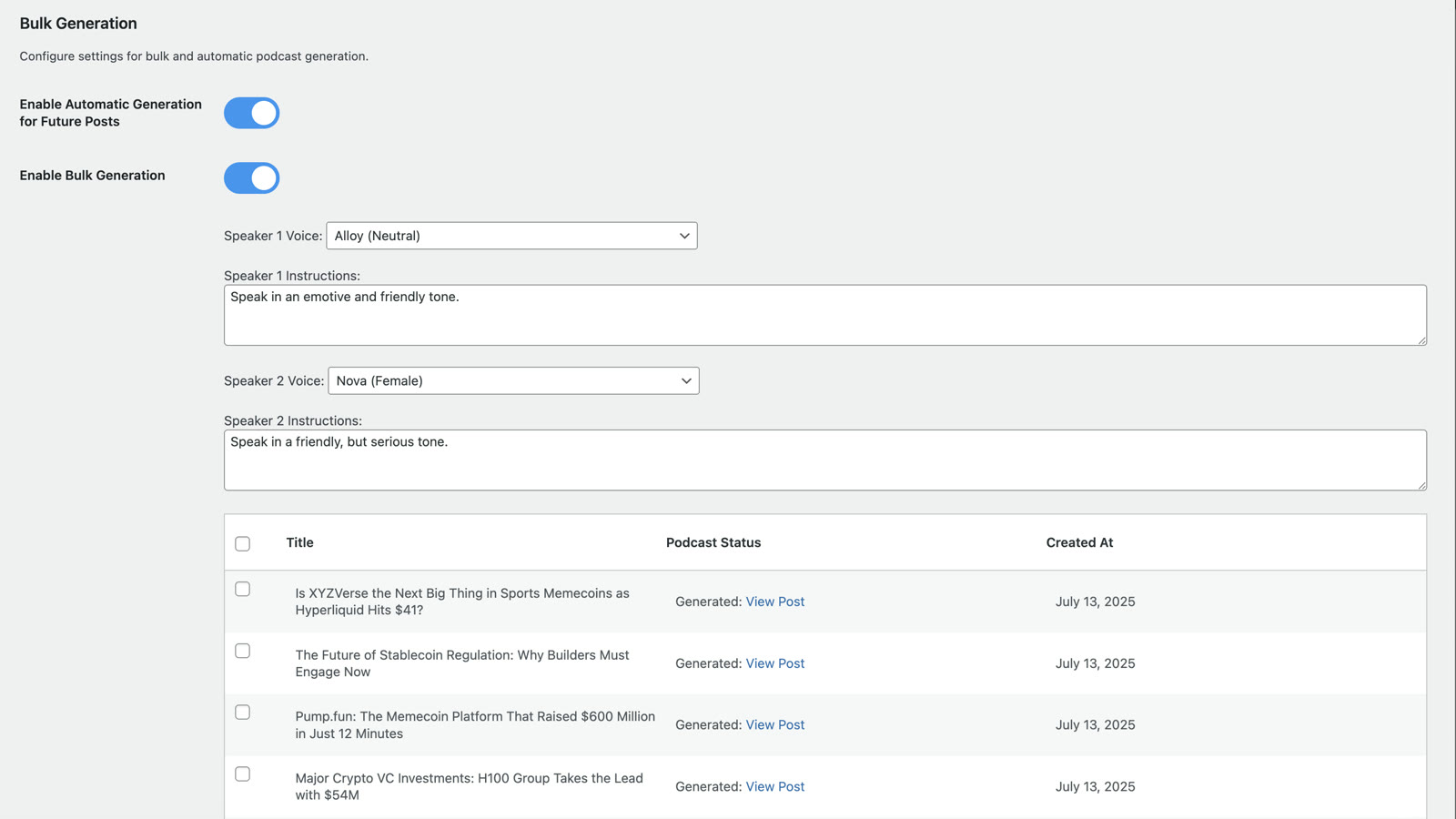
Price: the first 10 episodes are free, up to 2 minutes each. PRO is $19.90 a month for 300 credits, with no length limit, automatic episodes for new posts and bulk generation.
Where it falls short: AI voices are good, but they are not you. If your audience follows you for your own voice, use this for the back catalogue and record the flagship episodes yourself.
How the two work together
On this site the chain is simple. RSS2Post drafts and publishes articles from the feeds we follow. Post2Podcast then turns the ones worth hearing into short episodes, so the same story can be read or listened to. One person can keep the site active without writing or recording every day.
Who should try them
- News and niche sites that need a steady flow of posts in their own language.
- Bloggers with a large archive who want an audio version without recording.
- Agencies that maintain several client blogs.
Both plugins have a free tier, so you can test them on your own posts before paying: RSS2Post on WordPress.org and Post2Podcast on WordPress.org.
