


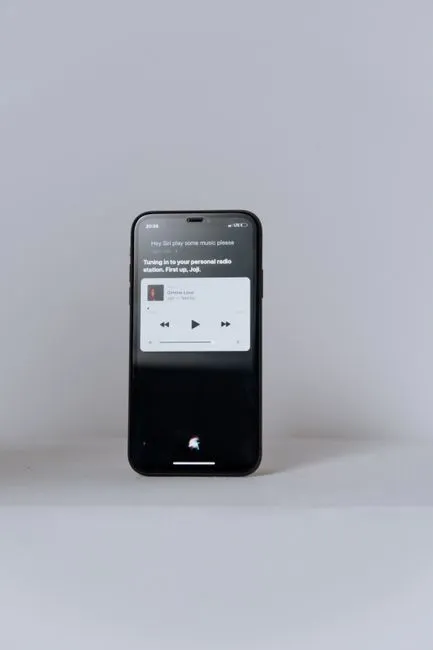
If you remember the early days of Siri, it was mostly a novelty—a digital parrot that could set alarms, send basic texts, and occasionally trip over complex commands. But that version of the assistant is long gone. Apple’s latest overhaul of Siri AI marks a fundamental shift in how we interact with our smartphones. No longer confined to a simple voice prompt, the revamped assistant has evolved into the central nervous system of the iPhone, quietly orchestrating tasks, managing workflows, and bridging the gap between different apps and services. And if you’re curious to see this transformation firsthand, you don’t have to wait for the official release. You can dive into the new experience right now through the iOS 27 public beta.
From Reactive Commands to Proactive Intelligence
The biggest leap in this latest iteration isn’t just about faster response times or more natural speech patterns. It’s about context. Modern AI assistants are moving away from the rigid command-and-response model and stepping into the role of a true digital partner. Apple’s updated Siri AI leverages advanced on-device processing and machine learning to understand not just what you’re saying, but why you’re saying it. It remembers your preferences, learns your daily routines, and anticipates needs before you even open an app.
What Changed Under the Hood?
Historically, voice assistants struggled with cross-app functionality. Asking Siri to pull data from one service and apply it to another often resulted in dead ends. The new architecture changes that equation. By integrating deeply with the operating system’s core APIs, Siri can now navigate your entire device with unprecedented fluidity. It can read through your messages, extract relevant information, draft responses, schedule calendar events, and even trigger automation across third-party applications without breaking the conversational flow. This level of interoperability is what transforms a voice tool into a comprehensive productivity engine.
Siri as the Backbone of the iPhone Experience
Apple has always prioritized a seamless, integrated user experience, and the new Siri AI is the culmination of that philosophy. It’s no longer just a feature you tap into occasionally; it’s woven into the fabric of the operating system. Whether you’re trying to organize a family vacation, manage a complex work project, or simply streamline your daily commute, the assistant acts as a unifying layer that ties everything together.
Seamless App Integration and Contextual Awareness
One of the most noticeable improvements is how the assistant handles multi-step tasks. Instead of requiring you to manually switch between apps to gather information, Siri can now execute compound requests. Need to compare flight options, book a hotel, and add the itinerary to your calendar while sending the details to a travel companion? The AI breaks down the request, executes each step in the background, and presents you with a unified summary. This contextual awareness reduces friction and turns the iPhone into a genuinely intelligent workspace.
Beyond the Voice: Proactive and Personalized Assistance
While voice remains the primary interface, the new Siri AI is equally capable of handling text-based interactions and background automation. It can monitor your notifications, filter out noise, and surface only what truly requires your attention. For users who rely on their phones for productivity, this means fewer interruptions and more focused work. The AI learns your communication style and adapts its suggestions accordingly, making every interaction feel tailored rather than generic.
How to Get Your Hands on the New Siri Today
If you’ve been waiting for a reason to test drive Apple’s latest software updates, this is it. The iOS 27 public beta is currently open to all iPhone users, offering a direct look at how the revamped Siri AI performs in real-world scenarios. Installing a beta version is straightforward through Apple’s developer program, but it’s worth noting that public betas are meant for testing and may occasionally contain minor bugs. That said, the core functionality of the new assistant is remarkably stable, making it a worthwhile experiment for tech enthusiasts and everyday users alike.
Navigating the iOS 27 Public Beta
Once you’ve enrolled in the beta program and updated your device, you’ll immediately notice the enhanced responsiveness. Start by asking Siri to handle a multi-step task that normally requires opening several apps. Pay attention to how it maintains context, handles follow-up questions, and integrates with your existing digital ecosystem. The more you use it, the more it adapts to your specific workflow. It’s a hands-on way to experience the future of mobile computing before it rolls out to the mainstream.
What This Means for the Future of Mobile AI
Apple’s push to make Siri the backbone of the iPhone experience signals a broader industry shift. We are moving past the era of standalone AI chatbots and into an age where artificial intelligence is deeply embedded into the operating systems we use daily. This integration promises to make technology less intrusive and more intuitive. Instead of us adapting to software, the software will increasingly adapt to us.
As voice and text-based AI continue to mature, the line between human intent and digital execution will grow thinner. Apple’s latest update proves that the smartphone is no longer just a communication device or a media hub; it’s becoming an intelligent extension of our daily lives. Whether you’re a power user looking to automate your workflow or someone who simply wants a more helpful digital companion, the revamped Siri AI offers a glimpse into where mobile technology is headed. The beta is open, the tools are ready, and the future of the iPhone experience is already here.
